Ozone 12
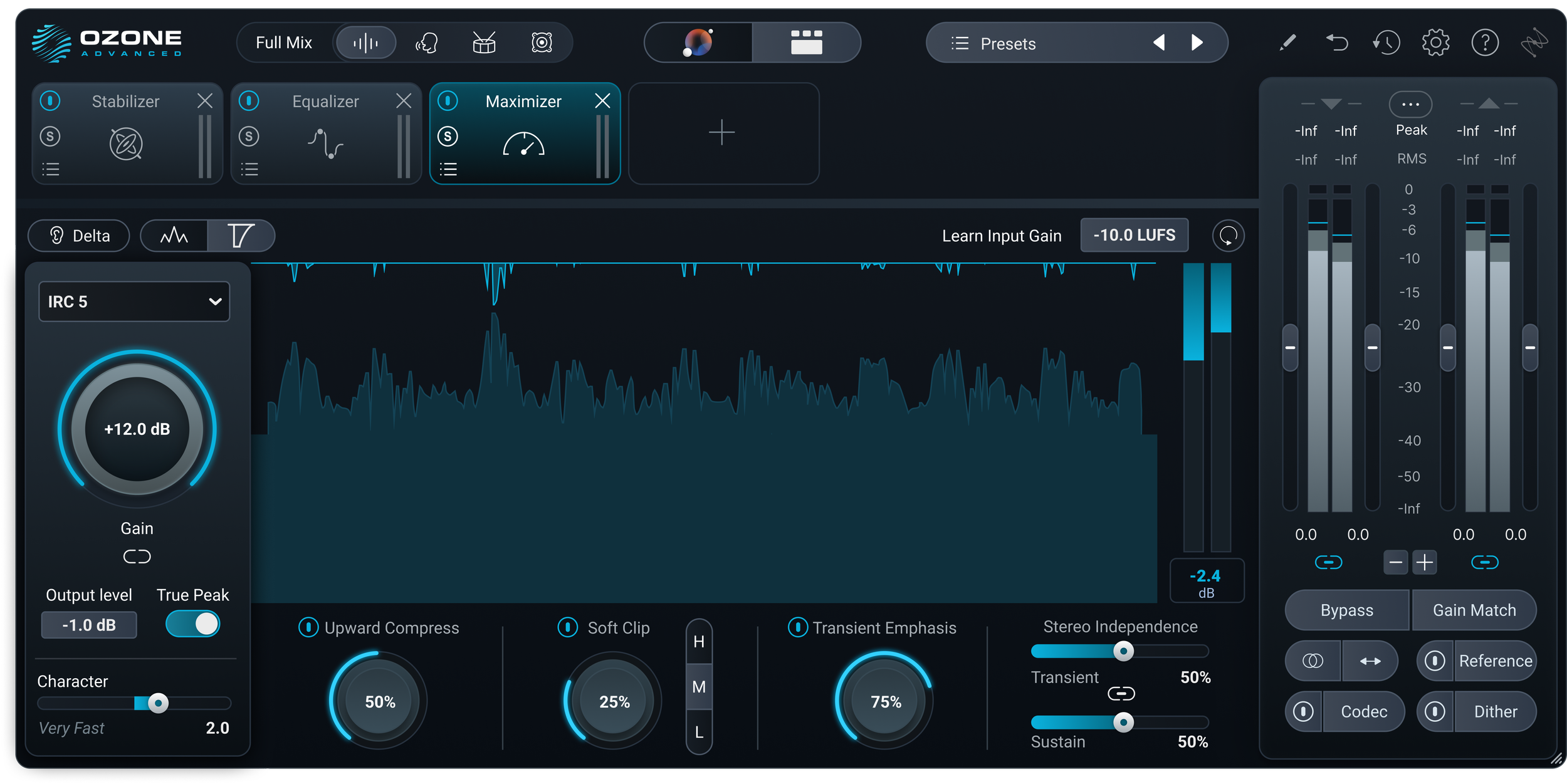
Leading design for the next generation of an industry-standard audio mastering tool used by pros.
Target Audience
Audio mastering engineers
Environment
DAW-based workflows
Role
Lead Designer
Timeline
End to end product design


What is Ozone?
Ozone is a professional mastering suite that combines multiple signal processing modules into a single, real-time workflow. It’s a dense, parameter-heavy environment where speed, clarity, and precision are critical.
The challenge
1
Within iZotope Ozone 12, the interface had become fragmented, with inconsistent components and one-off patterns that increased cognitive load and made the system harder to scale. This lack of cohesion also slowed development and limited our ability to evolve the product efficiently.
2
At the same time, trust in Master Assistant was eroding. Its processing felt opaque, limiting user control and making it difficult for engineers to confidently refine results.
3
These issues were amplified by real-world mastering conditions, where users often work with poor mixes that require both precision and flexibility—raising the bar for clarity, responsiveness, and control.
Risks and considerations
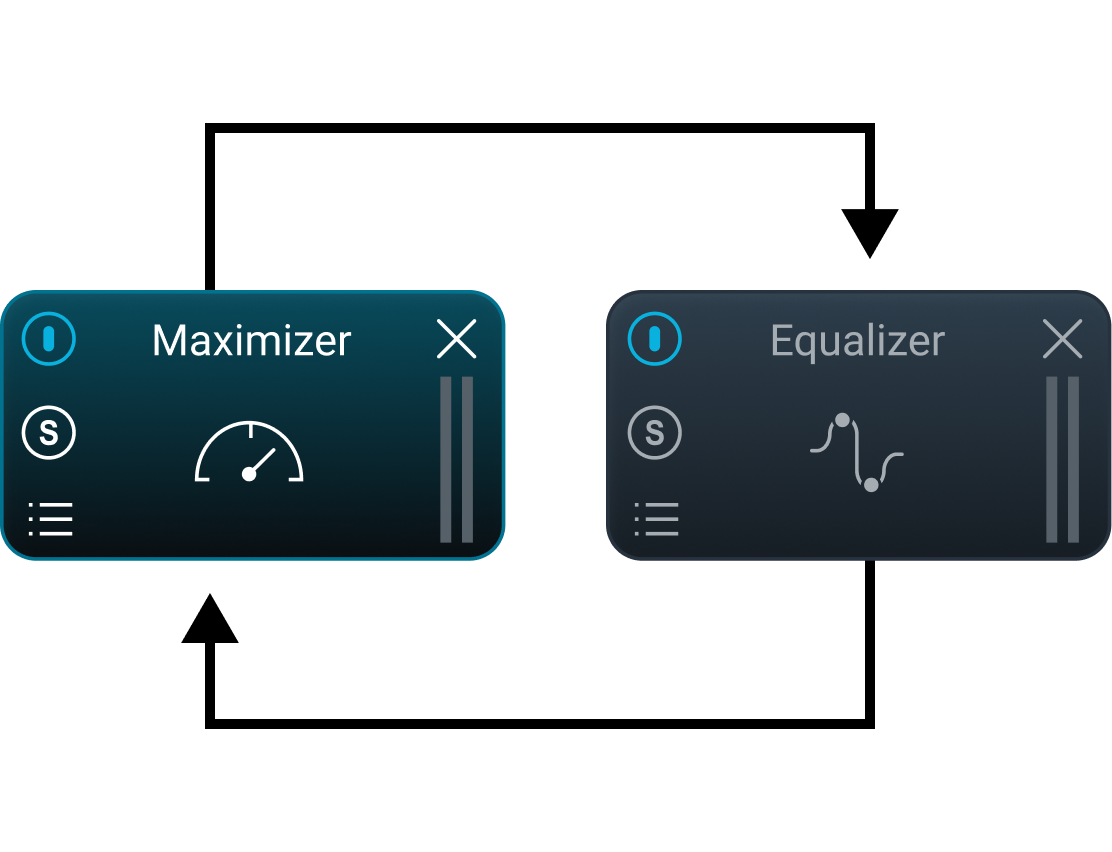
As one of iZotope's highest-performing products, Ozone carried significant legacy trust with its user base. The risk wasn't just breaking workflows. It was breaking the mental model engineers had built around the tool over years. I made a deliberate call early on: we would not redesign for redesign's sake. Every change had to directly resolve a documented pain point or improve scalability. Where the tradeoff was unclear, I defaulted to preserving the familiar pattern and flagging it for a future iteration.
From Automation to Collaboration
In our research, users frequently reported that fully automated results felt impersonal and often overstepped without sufficient context. After several generations of improvements to the neural nets and DSP, it was clear that the answer wasn’t a better black box. We needed to improve how users interact with the assistants.
Framing
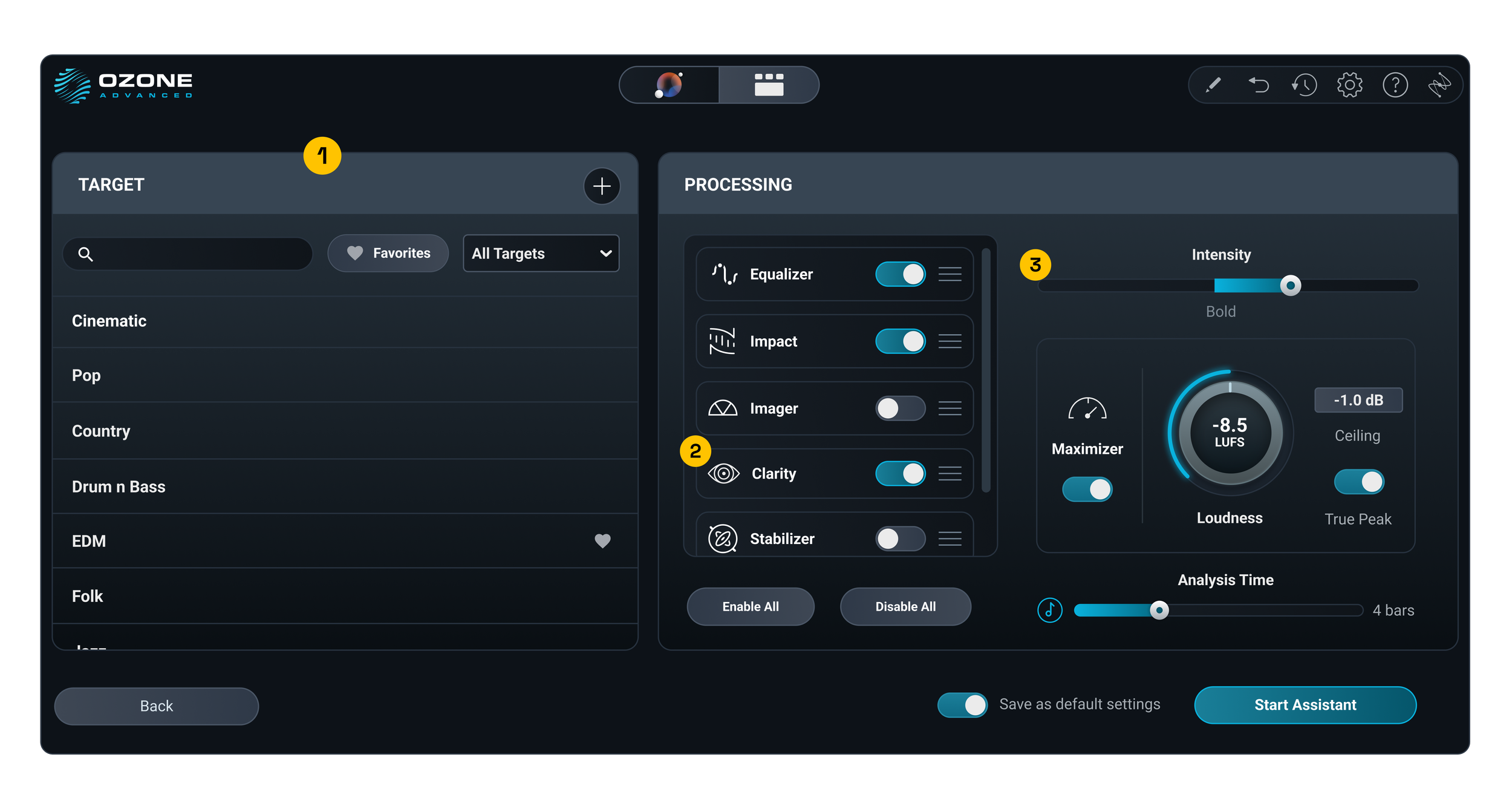
I introduced a guided pre-processing step that lets users shape intent before running the assistant, shifting from a one-click outcome to a more collaborative workflow. Internally, we framed this as a “just add eggs” approach, giving users meaningful input to increase control and ownership while still leveraging intelligent processing.
Solution
Users can select their target ahead to augment the applied processing
1
A simple list and a toggle function enables users to quickly select which modules they want the assistant to consider using
2
Intensity and loudness controls help set the desired level of transparency with the processing and the target output loudness
3
In Ozone 12, Master Assistant became something users could shape, not just run, with post-launch surveys showing improved trust and usability.
Outcome
Designing for Imperfect Inputs
Framing
Mastering engineers are often forced to work with imperfect mixes, where tonal imbalance, over-compression, or low-end issues limit what can be achieved downstream.
Solution
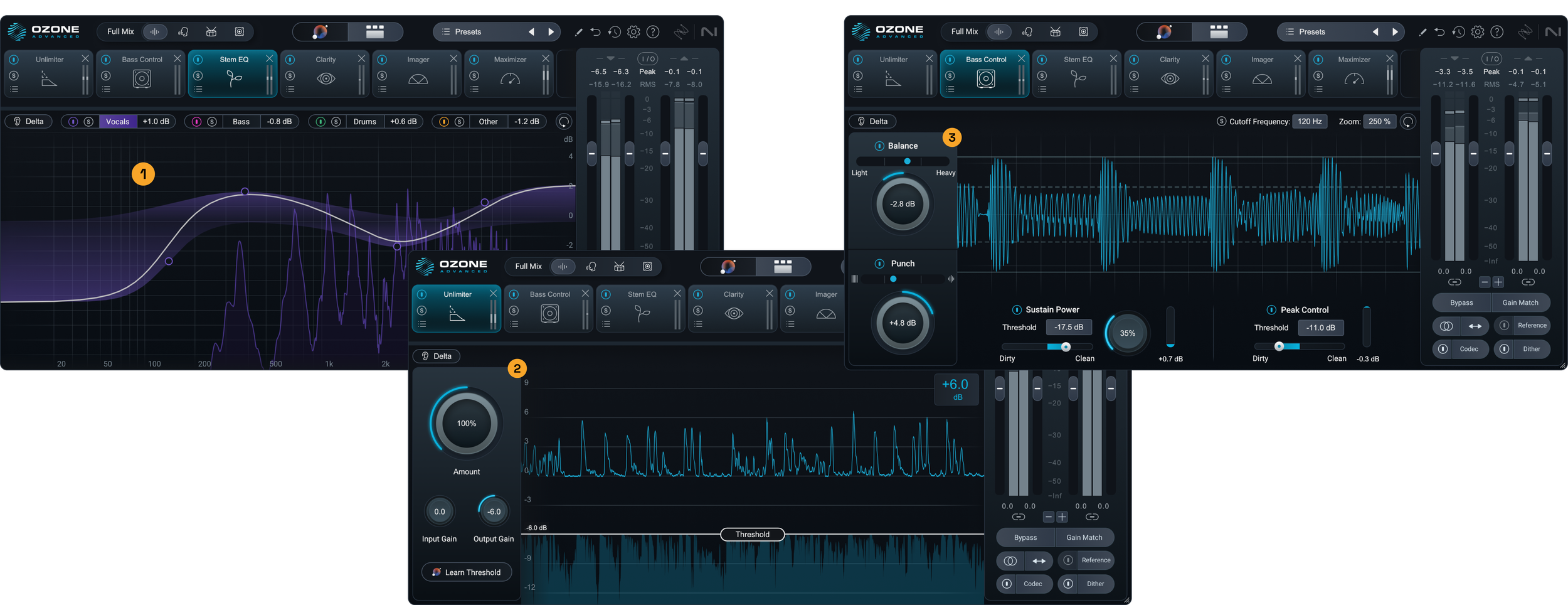
We introduced a set of targeted processing tools designed to make imperfect mixes more workable within the mastering stage. These tools address common upstream issues directly, giving engineers control over tonal balance, dynamics, and low end response without breaking their workflow.
1 - Stem EQ
Enables adjustment of tonal balance and gain across individual mix elements from a single stereo file, allowing for more precise corrections without access to stems.
2 - Unlimiter
Restores transients and dynamic range in overly compressed or limited mixes, recovering impact and clarity that would otherwise be lost.
Outcome
These tools expanded what engineers can realistically address during mastering, reducing reliance on external fixes and time-consuming back-and-forth. By making imperfect mixes more workable, they enabled faster, more flexible workflows and improved confidence in the final result.
3 - Bass Control
Provides targeted control over low end strength and presence, helping balance muddiness or lack of weight in drums and bass.
Building a Scalable Visual System
Framing
As Ozone evolved through the years, incremental UI decisions led to a proliferation of component variations, limiting consistency and making the system harder to scale and maintain.
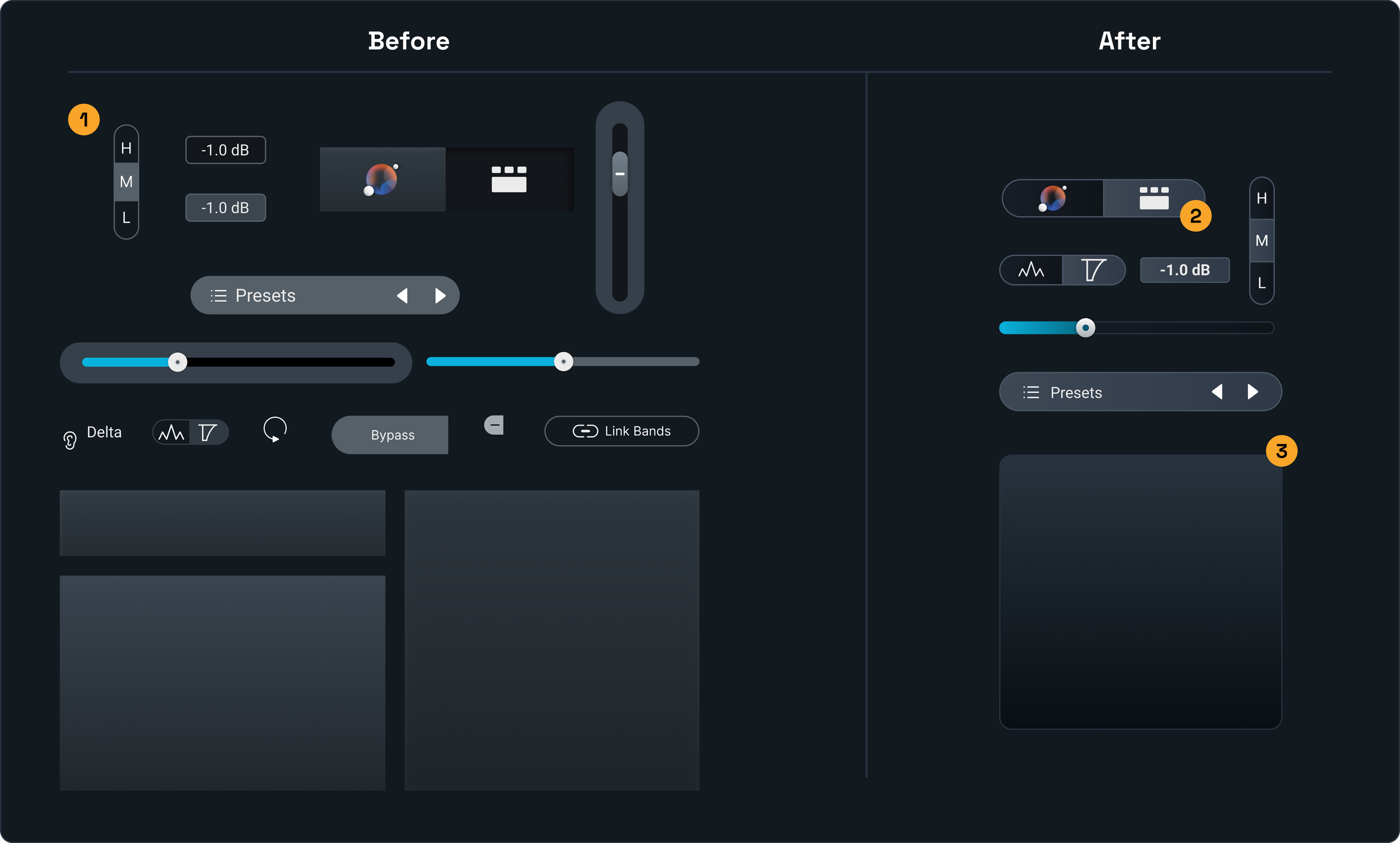
Solution
This work focused on reducing redundancy and unifying component behavior, consolidating variations into a smaller set of flexible components that work across light and dark contexts. Hover states were standardized, and inconsistent skeuomorphic elements were removed in favor of a more cohesive digital aesthetic, creating a more predictable and scalable system.
1
The interface had accumulated a proliferation of small variations and one-off component patterns, reducing consistency and making the system harder to scale and maintain.
2
Components were consolidated into a smaller, more flexible set that work consistently across both light and dark contexts, reducing redundancy and improving predictability.
Outcome
This improved visual consistency and reduced cognitive load, while increasing development efficiency and enabling the system to scale more effectively across future releases and plugins. Component variance was reduced by 40%, simplifying both design and implementation.
3
The use of light, mid, and dark values was standardized to create more intentional contrast and a clearer, more consistent visual hierarchy across the interface.
Impact
Driving Product Evolution
This work strengthened Ozone 12 and future releases by improving trust in intelligent features, expanding what can be addressed during mastering, and establishing a more scalable system foundation.
Takeaways
Designed for complex, real-time systems where precision and usability must coexist
Translated advanced DSP into intuitive, controllable workflows for expert users
Reduced system complexity through scalable design patterns and component standardization